Faster qualification follow-up
Missing documents surface before buyout pressure peaks.
We use essential cookies to run the site and optional cookies to improve your experience and measure usage. You can change your choice anytime in Cookie Preferences.
COMMERCIAL OPERATIONS · VENDOR MANAGEMENT
Keep vendor master data, qualification status, and performance context available to procurement and commercial teams — humans decide awards and engagements.
Clearer vendor context during RFQ and PO decisions.
Product overview
Vendor Management supports Commercial Operations by connecting supplier intelligence to procurement. It uses the existing corporate-management canonical route.
Built for Procurement, vendor managers, and commercial leads.
Product proof
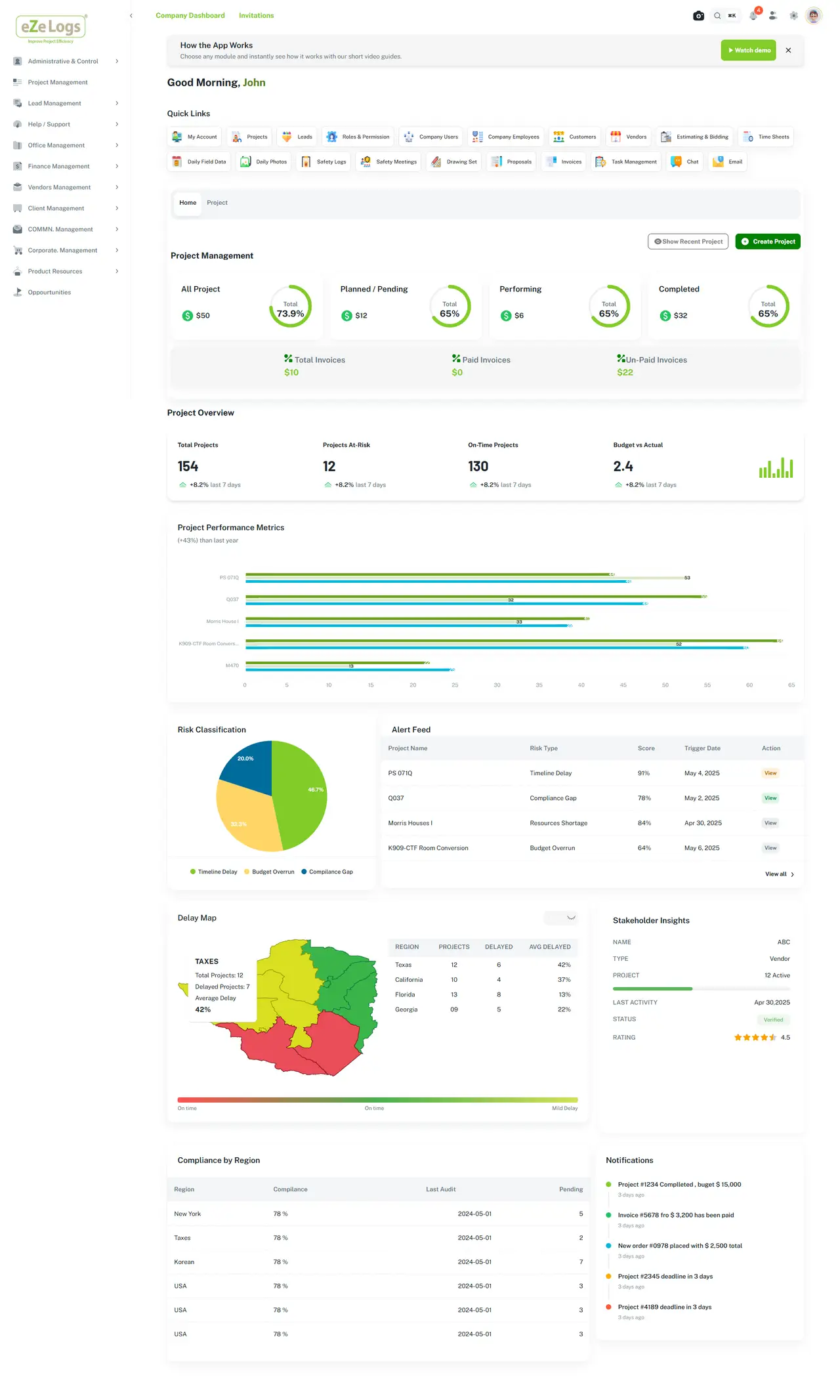
Stakeholder and company views support qualification follow-up.
End-to-end workflow
One continuous family — current stage highlighted, full path visible.
Lifecycle position
AI ASSISTANCE — ADVISORY
AI may summarize history and flag missing qualification documents. It does not invent certifications or autonomously award work.
Inputs
Outputs
Connected modules
Field Management → Daily Reports → Safety → Quality → Photos & Media → Equipment & Assets → Job Costing → Executive Experience
Business outcomes
Missing documents surface before buyout pressure peaks.
History stays available during RFQ review.
Vendor status connects to procurement and contracts.
Construction examples
Expired documents flagged for vendor manager follow-up.
Scorecard context supports human shortlist decisions.
Performance patterns elevated for commercial attention — not auto-awards.
Evidence & governance
Consequential actions stay with accountable people and role-based controls.
Canonical RFI and Daily Field records remain on the work they support. Ezelogs does not introduce a second write authority.
Keyboard-operable surfaces, clear focus, and readable contrast across the public website.
Public pages stay available while investor-private materials remain access-controlled.
FAQ
No. Documentation and status are reviewed by humans. Unsupported certification claims are not made.
No. Awards and engagements remain human-governed.
That is the existing canonical route. It is linked into Commercial Operations without creating a duplicate leaf.
Related products & resources
Walk Job Costing → Contracts → Procurement → Payment Applications as one governed commercial suite.