We use cookies

We use essential cookies to run the site and optional cookies to improve your experience and measure usage. You can change your choice anytime in Cookie Preferences.

COMMERCIAL OPERATIONS · PROCUREMENT

Buyout, POs, and commitments with field awareness.

Qualify vendors, run RFQs, issue purchase orders, track receiving and commitments — connected to commercial and field context without claiming to replace ERP.

Clearer commitments and material risk visibility for review.

Product overview

Where this module sits

Procurement is the Commercial Operations buyout leaf. Purchase Orders fold into this canonical route. Vendor scorecards also connect to Vendor Management.

Built for Procurement officers, buyers, and project managers.

Product proof
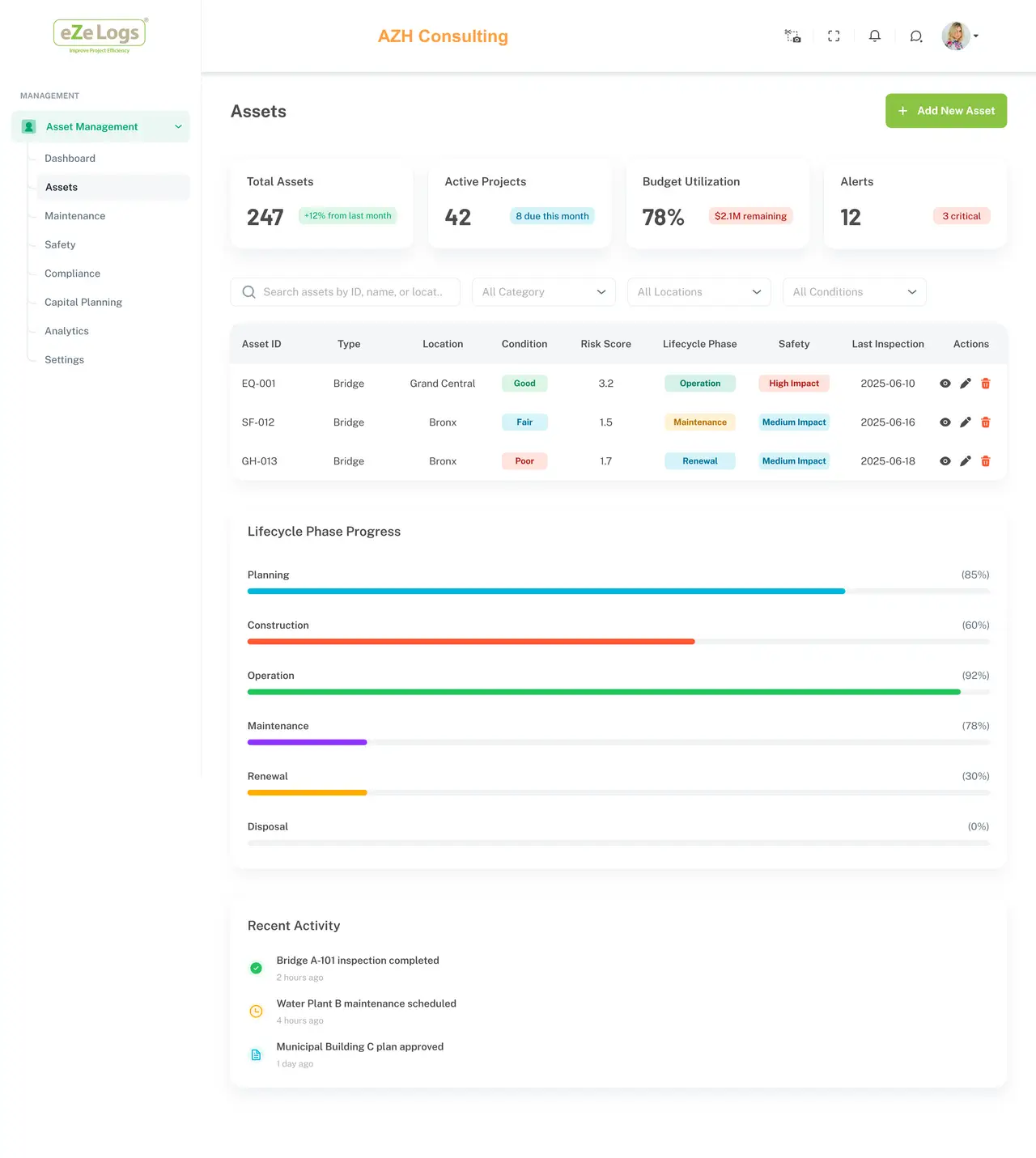
Real Ezelogs surfaces

End-to-end workflow

Commercial Operations path

One continuous family — current stage highlighted, full path visible.

Lifecycle position

Where Commercial Operations sits in the platform

  1. Pursue & Estimate
    Estimator, preconstruction lead, specialty contractor, owner/agency
    Estimating and quantity takeoff exist as built experiences — not production-verified.
    Contact to confirm availability
    Open
  2. Plan & Contract
    Owner, CM, GC, contracts/legal
    Contract records exist — evidence is required before a public general-availability claim.
    Contact to confirm availability
    Open
  3. Mobilize
    PM, superintendent, document controller, subcontractors
    Hosted workspace, project dashboard, tenant isolation, and role-aware access — available now for invited operators.
    Available now
    Open
  4. Coordinate & Execute
    PM, superintendent, field leader, designer, inspector, subcontractors
    RFI list and detail, Daily Field list, Universal Search, and Shared Needs Attention — available now.
    Available now
    Open
  5. Control & Forecast
    Project controls, cost engineer, scheduler, PM
    Project-controls domains exist — not production-verified. Finance and job costing depend on configuration.
    Depends on configuration
    Open
  6. Assure & Comply
    QA, safety, inspector, compliance/payroll
    Inspections, QA/QC, and safety exist — not production-verified. Labor compliance depends on configuration.
    Contact to confirm availability
    Open
  7. Pay & Resolve
    Owner, CM, commercial lead, supplier
    Procurement, materials, and equipment exist — not production-verified.
    Contact to confirm availability
    Open
  8. Close & Learn
    Owner, PM, document controller, operations
    Closeout and reporting exist — contact to confirm availability. PDF and evidence handling is approved with a qualifier.
    Contact to confirm availability
    Open

AI ASSISTANCE — ADVISORY

Assist buyout clarity. Do not replace ERP.

AI may summarize RFQ responses and flag incomplete POs. It does not claim ERP replacement or autonomous purchasing.

  • RFQ comparison assistancePropose comparison views for buyer review.
  • PO completeness flagsSurface missing fields before issue/review.
  • Lead-time review cuesHighlight commitment timing for human schedule review.
  • Recommend reviewPropose attention queues — humans issue and approve.

Inputs

What comes in

  • Vendor lists and qualifications
  • RFQ packages
  • PO lines and delivery needs
  • Receiving notes
  • Schedule and budget context

Outputs

What continues downstream

  • PO and commitment status
  • Receiving history
  • Inputs to job cost committed views
  • Supplier follow-up queues

Connected modules

Intelligence connections

Field Management → Daily Reports → Safety → Quality → Photos & Media → Equipment & Assets → Job Costing → Executive Experience

  1. Estimating
  2. Job Costing
  3. Contracts
  4. Procurement
  5. Field Management
  6. Payment Applications
  7. Executive
  8. Portfolio

Business outcomes

What teams gain

Clearer commitments

POs and buyout status stay visible for commercial review.

Better material risk conversations

Lead-time and receiving context support human schedule review.

Stronger cost linkage

Commitments inform forecast without automatic utilization claims.

Construction examples

How it shows up on real work

Long-lead equipment buyout

RFQ → PO → receiving tracked for commercial and field awareness.

Trade package procurement

Commitments align to contract and job cost review.

Partial receiving period

Receiving notes retained for commitment status review.

Evidence & governance

Evidence stays with the decision

Role-aware governance

Consequential actions stay with accountable people and role-based controls.

Platform design principle
Authoritative records

Canonical RFI and Daily Field records remain on the work they support. Ezelogs does not introduce a second write authority.

Hosted workspace
Accessible public experiences

Keyboard-operable surfaces, clear focus, and readable contrast across the public website.

Accessibility practice
Reliable public and protected content

Public pages stay available while investor-private materials remain access-controlled.

Content protection practice

FAQ

Common questions

Is there a separate Purchase Orders page?

No. POs are covered on this Procurement canonical route.

Does Ezelogs replace ERP?

No. This experience describes construction procurement visibility and review — not ERP replacement.

Can AI issue purchase orders automatically?

No. Issuance and approvals remain human-governed.

See Commercial Operations in a demo

Walk Job Costing → Contracts → Procurement → Payment Applications as one governed commercial suite.